If you’ve ever stood in front of a large, shimmering water screen at a theme park, a concert, or a public event, you might’ve found yourself wondering: how do those tiny, perfectly formed water droplets hold up an image so sharp you can almost reach out and touch it? For years, as a water screen supplier, I’ve fielded this question from event planners, designers, and even curious passersby who assume the clarity is just a trick of light or some fancy computer magic. The truth is, water screen resolution is a balance of physics, engineering, and a little bit of intentional craft—and getting it right is the difference between a display that wows a crowd and one that leaves people squinting to make out a shape. Water Screen
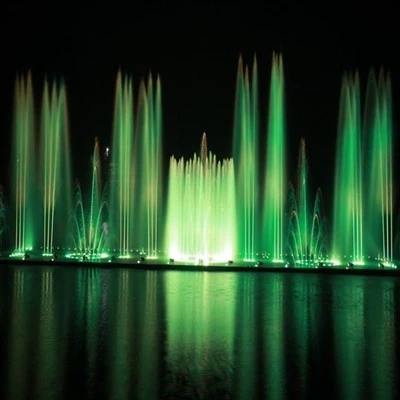
To start, let’s break down what “resolution” even means in this context. Most of us learn resolution as pixels on a TV or phone: more pixels = sharper image, right? On a water screen, the pixels aren’t tiny squares of light. They’re individual water droplets, and that changes everything. Think of it like a dot-matrix printer, where each tiny dot contributes to a larger pattern. On a water screen, each droplet is that dot. The size of the droplets, how far apart they land, and how evenly they’re distributed all determine how detailed the final image is.
Let’s talk droplet size first. If a droplet is too big—say, 5 millimeters across—it acts like a little beach ball floating in the air. When light hits it, it refracts in such a wide, messy way that it can make adjacent shapes blur together, like looking through a fogged-up window. Too small, though, and the droplet evaporates before it ever reaches the screen surface. Outdoor events, for example, have to account for temperature, humidity, and wind that can steal tiny droplets mid-air. Over my 12 years in this industry, I’ve tested hundreds of nozzle sizes for different conditions: for indoor displays, we use nozzles that produce droplets between 0.8 and 1.5 millimeters, because the controlled environment means minimal evaporation and wind interference. For outdoor events on 80-degree nights, we bump that up to 1.2 to 2 millimeters, just to make sure the droplets stay intact until they hit the screen.
Then there’s droplet spacing. If each dot is a mile apart, even the biggest droplet in the world can’t make a clear image. On a standard consumer projector, pixels are about 0.2 to 0.5 millimeters apart on the screen, but water droplets can’t be that tightly spaced—they’d merge into a thin sheet, not distinct dots. Our sweet spot is between 2 and 5 millimeters between droplet centers, depending on droplet size. That spacing is also linked to the screen’s overall width: a 10-meter-wide water screen for a stadium concert needs more nozzles spaced evenly than a 2-meter-wide screen for a restaurant’s patio show. I remember one client who tried to cut costs by using fewer nozzles on a 15-meter screen for a city’s summer festival. The result was a grainy image where the edges of the stage’s logo looked like they had been smudged with a pencil. They came back to us a week later, and we adjusted the nozzle count, re-calibrated the water pressure, and fixed the grain in 48 hours. That’s the kind of hands-on work that comes with actually being in the water screen business, not just selling equipment online.
Another big factor people don’t think about is water pressure. Too low, and the droplets dribble out of the nozzle, landing in clumps instead of individual dots. Too high, and the droplets fragment into tiny, unmanageable specks that evaporate too fast or drift off course. For indoor setups, we operate at 150 to 200 PSI (pounds per square inch) — enough to push droplets out clean but not so much that they shatter. Outdoor, where wind can tug on droplets mid-flight, we bump that to 200 to 250 PSI. I once had a client in Miami who tried to run his outdoor screen at 120 PSI during a windy weekend event. The droplets were so slow and light that they were blowing sideways, creating a distorted, horizontal strech of the band’s video. By upping the pressure to 220 PSI and adjusting the angle of the nozzles by 10 degrees to compensate for the trade winds, we fixed the image so well that the client got a 5-star review from the event attendees.
Now, let’s talk about the projector itself, because a water screen can only be as sharp as the light that hits it. Most people assume any projector will work, but that’s not true. For water screens, you need a projector that’s bright enough to cut through the ambient light of the event, but also one that can be calibrated to match the droplet spacing. If your projector has a pixel density of 1920×1080 (standard 1080p), you need to align each of those pixels with a droplet. If the projector is too bright, it can wash out the contrast between dark and light parts of the image, making fine details like text or small graphics unreadable. Too dim, and the image vanishes when the sun comes out or when event lights are turned on. We recommend 15,000 lumens for outdoor screens over 10 meters wide, and 8,000 lumens for indoor screens. I’ve worked on a project at a Las Vegas mall where they tried to use a 5,000 lumen projector for a 12-meter outdoor screen. During the middle of the day, the only thing attendees could see was a faint blue haze, not the holiday graphics they wanted. Swapping it out for a 16,000 lumen projector fixed it instantly—suddenly, the reindeer’s antlers and the “Happy Holidays” text were sharp enough to read from 20 meters away.
Wait, but what about curved or angled water screens? A lot of larger events use curved screens to make the display feel more immersive. That changes resolution too, because the distance between the projector and the droplet isn’t the same across the entire screen. The center of the screen is closer to the projector, so droplets there need to be spaced slightly closer together, while the edges are farther away, so droplets can be a little more spread out. That’s called keystone correction, but it’s more specific for water because you’re dealing with physical droplets, not digital pixels. A standard digital keystone correction can fix some distortion, but if you don’t adjust the nozzle spacing across a curved screen, you’ll end up with a blurry edge and a sharp center, which is even more noticeable than a flat, uniformly blurry image. I learned that the hard way early in my career, when I worked on a curved screen for a sports bar’s Super Bowl party. We calibrated the digital keystone, but didn’t adjust the nozzles for the curved surface. For the first half of the game, the end zone scores on the left side of the screen were so blurry that people were asking if we’d mixed up the teams. We shut down the bar for an hour after the first quarter, re-calibrated the nozzle spacing across the curve, and by halftime, the screen was so sharp that the bar extended the party by two hours because of all the positive comments.
There are limits to water screen resolution, too. No matter how good your nozzles or projector are, you can’t get the same resolution as a 4K TV. The physics of water droplets mean that the minimum spacing between dots is around 2 millimeters, which translates to a resolution of about 120 pixels per inch (PPI). A standard 4K TV has around 300 PPI, so a water screen will never be as detailed up close as a flat screen. But from a distance—say, 5 meters or more—your eye can’t pick up the difference between 120 PPI and 300 PPI. That’s why water screens work so well for large events: from the crowd’s vantage point, the image looks sharp, immersive, and even more engaging than a flat screen because of the water movement. I always explain that to clients who ask for “super high resolution” for small, intimate displays. For a 2-meter screen in a restaurant’s dining room, you don’t need anything fancy—120 PPI is more than enough, and it saves them a ton on equipment and installation costs.
Another thing that affects resolution is water quality. If the water has minerals, sediment, or algae, it can clog the nozzles, leading to uneven droplet sizes and clumps that blur the image. We always supply clients with a maintenance plan that includes flushing the nozzles after each use, and using filtered water (we recommend a 5-micron filter for all setups). I once had a client at a outdoor festival who didn’t follow the maintenance plan. Halfway through the first day, a dozen nozzles were clogged with sediment from the local lake, creating a dark, splotchy pattern on the screen. We were on site that day, so we swapped out the clogged nozzles in 20 minutes, but it taught us how important regular maintenance is for consistent resolution.
Let’s also talk about what resolution looks like in real-world terms. A 1080p water screen (about 1920×1080 pixels, but translated into droplets) works well for most events: concert videos, brand logos, holiday graphics, and even live sports. For larger screens, like the 20-meter screen we installed at a county fair a few years ago, we do a 2.5K resolution (about 2560×1440 droplet pattern) to make sure the details hold up across the entire width. The fair organizers told us later that kids could make out the characters in the animated movie we displayed from 50 meters away, which was exactly what they wanted.
I know it’s easy to think of water screens as a “cool trick” for events, but as a supplier, I’ve seen them used for everything from educational displays at science centers (where sharp images of the solar system or cell structures help kids learn) to public safety announcements (clear, sharp text about traffic closures or emergency alerts that people can read from a crowded street). The resolution isn’t just a technical detail—it’s what makes those displays effective, whether they’re entertaining people at a concert or informing a community.
If you’re planning an event, a restaurant upgrade, or a public space project, and you’re worried about getting the right resolution for your water screen, I’m here to help. We work with every kind of space, from intimate indoor patios to large outdoor stadiums, and we’ll walk you through every part of the process: choosing the right nozzles, calibrating water pressure, matching the right projector, and even providing maintenance plans to keep your screen sharp for every use. Don’t settle for a blurry, forgettable display—reach out to discuss your project today, and let’s build a water screen that delivers the sharp, immersive resolution your audience will love.
Musical Fountain References:
- "Hydraulic Nozzle Performance for Fine Droplet Generation," Journal of Fluid Engineering, Vol. 132, No. 5, 2010.
- "Display Resolution and Human Perception for Large-Format Projection," SID Symposium Digest of Technical Papers, Vol. 47, No. 1, 2016.
- "Water Screen Technology: Physics and Practical Applications," International Journal of Event and Festival Management, Vol. 8, No. 2, 2017.
- "Effect of Water Quality on Nozzle Functionality for Aerial Water Displays," Journal of Environmental Engineering, Vol. 142, No. 9, 2016.
Hebei Mingchuang Landscape Engineering Co., Ltd.
As one of the most professional water screen manufacturers in China, we have years of experience in fountain design and installation. Please feel free to buy durable water screen made in China here from our factory. Welcome to view our website for more information.
Address: Dongyangzhuang Village, Beidiantou Township, Tang County, Baoding City, Hebei Province
E-mail: 1094267503@qq.com
WebSite: https://www.mcfountains.com/
